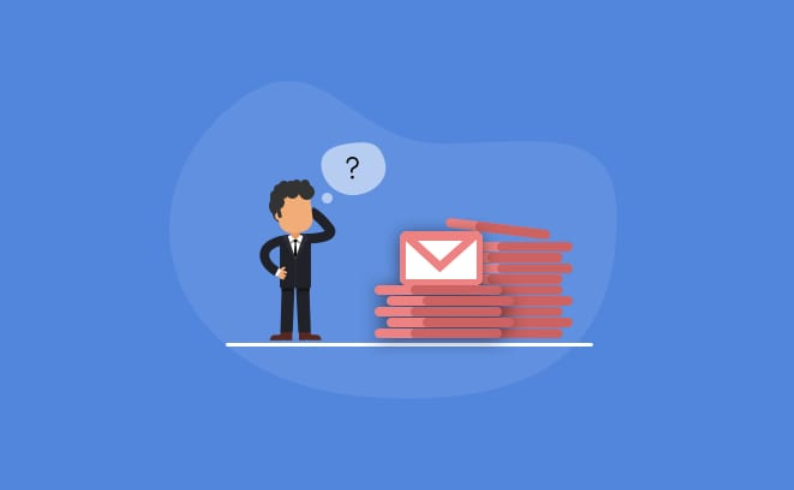
Professional communication has changed dramatically in the digital age, but email continues to remain one of the most powerful business tools in the world. From office communication and client management to networking and remote collaboration, emails shape professional relationships every single day. A strong email can open opportunities, solve problems quickly, and create trust, while a weak email can damage credibility and waste valuable time.
Many professionals underestimate how much their email style affects their reputation. The reality is simple: people often judge professionalism based on written communication. Clear, respectful, and organized emails instantly create a stronger impression.
As workplaces become faster and more digital, professionals are also turning to ai tools for email writing to improve communication speed and quality. These technologies help users draft cleaner, more polished emails while reducing common mistakes. Still, no technology can replace strong communication fundamentals. Learning practical email writing strategies remains one of the smartest professional skills anyone can develop.
This article explores simple yet highly effective strategies that can help you write emails like a true professional while improving clarity, confidence, and communication results.
The Real Purpose of Professional Emails
Many people think emails are only meant to share information. In reality, professional emails do much more than that. They help people:
- Build trust
- Create authority
- Manage relationships
- Solve problems efficiently
- Coordinate work
- Influence decisions
- Maintain professionalism
Every email becomes part of your professional identity. That is why writing style matters more than most people realize.
See also: Benefits of Virtual Reality Technology
Think Before You Start Writing
One of the biggest reasons emails fail is because the writer starts typing without a clear direction.
Before writing any email, pause and identify:
- The main objective
- The key message
- The expected response
- The level of urgency
This simple habit prevents rambling and keeps communication focused.
Professional emails should always have a purpose. If the purpose is unclear, the reader may ignore the message or misunderstand it completely.
Make Your Subject Line Work for You
The subject line acts like a headline. It determines whether someone opens your email immediately or postpones it for later.
Professionals who write effective subject lines save time for everyone involved.
Examples of Strong Subject Lines
- Updated Budget Proposal for Review
- Meeting Time Change for Wednesday
- Marketing Campaign Progress Report
- Approval Needed for Final Design
Examples of Weak Subject Lines
- Hi
- Important Update
- Please Read
- Question
Specific subject lines immediately improve communication efficiency.
Start Professionally but Naturally
A greeting should sound respectful without feeling robotic. Modern business communication values professionalism combined with a natural tone.
Effective Greetings
- Hello David,
- Good Morning Team,
- Dear Ms. Kapoor,
- Hello Sarah,
The greeting should match the professional relationship and communication style of the workplace.
Focus on Readability
People rarely read emails word by word anymore. Most professionals quickly scan messages looking for key information.
This means your email must be visually easy to read.
Improve Readability By:
- Using shorter paragraphs
- Breaking up information clearly
- Avoiding huge text blocks
- Using bullet points when necessary
- Keeping sentences direct
Well-formatted emails immediately appear more professional.
Get to the Point Quickly
Busy professionals appreciate direct communication. Long introductions and unnecessary explanations often weaken emails.
Instead of slowly building toward the point, communicate the purpose early.
Weak Example
“I hope you are doing well. I know everyone has been busy recently and there have been many changes happening with the project…”
Better Example
“I’m reaching out to confirm the final project deadline for next week.”
Clear communication saves time and improves response rates.
Use Simple Language
Many people believe professional writing must sound complicated. In reality, the best professional communication is simple and easy to understand.
Avoid:
- Overly technical wording
- Long complicated sentences
- Unnecessary jargon
- Complex explanations
Simple writing improves clarity and reduces misunderstandings.
Learn the Power of Tone
Tone is one of the most overlooked parts of email communication. Because emails lack facial expressions and body language, wording becomes extremely important.
A message that sounds normal in your mind may sound rude to someone else.
Professional Tone Tips
- Stay calm and respectful
- Avoid aggressive wording
- Use polite requests
- Avoid typing in all caps
- Never send emotional replies immediately
Example
Instead of:
“You still haven’t completed the task.”
Write:
“I wanted to check on the progress of the task.”
Small wording changes create a much more professional tone.
Stop Writing Extremely Long Emails
Long emails often lose reader attention halfway through. Most professionals prefer concise communication that quickly explains the situation.
If your email becomes extremely detailed, consider:
- Using bullet points
- Scheduling a call
- Sharing a document attachment instead
Shorter emails are usually more effective than lengthy explanations.
Include Clear Action Steps
One common email mistake is failing to explain what should happen next.
Professional emails should clearly guide the recipient.
Examples of Clear Action Requests
- Please review the attached file.
- Kindly confirm your attendance.
- Let me know your feedback by tomorrow.
- Please approve the final version.
Direct communication reduces delays and confusion.
Never Ignore Proofreading
A poorly proofread email can damage credibility instantly. Grammar errors and spelling mistakes create the impression of carelessness.
Before sending an email, always check:
- Spelling
- Grammar
- Names
- Dates
- Attachments
- Formatting
Even experienced professionals make mistakes when sending emails too quickly.
Today, many workers use ai email writing tools to automatically detect errors and improve readability. These tools help improve sentence flow, professionalism, and writing quality while saving time.
Avoid Sounding Robotic
Professional does not mean emotionless. Emails should sound human and conversational while remaining respectful.
Overly robotic emails often feel cold and impersonal.
Robotic Example
“Your request has been acknowledged and processed accordingly.”
Better Example
“Thanks for your request. I’ve reviewed it and will update you shortly.”
Natural communication helps strengthen relationships.
Learn When to Follow Up
Following up professionally is an important communication skill. Many people hesitate to send follow-ups because they worry about sounding annoying.
However, polite follow-ups are completely normal in professional environments.
Smart Follow-Up Strategy
- Wait a reasonable amount of time
- Keep the message brief
- Stay polite
- Mention the original email
Example
“I wanted to follow up regarding my previous message about the proposal review.”
Professional follow-ups show responsibility and professionalism.
Understand the Difference Between Chat and Email
One mistake modern professionals make is treating emails like text messages.
Emails require more structure and professionalism than instant messaging apps.
Avoid:
- Excessive abbreviations
- Casual slang
- One-word replies
- Poor formatting
Professional communication should always feel polished and organized.
Use AI Carefully, Not Blindly
Artificial intelligence is changing how people communicate professionally. Many businesses now rely on ai tools for email writing to speed up workflows and improve writing quality.
Modern ai email writing tools can help with:
- Grammar correction
- Subject line suggestions
- Tone adjustments
- Draft generation
- Email summarization
- Writing clarity
These tools can significantly improve productivity, especially for professionals managing large volumes of emails daily.
However, blindly copying AI-generated text is risky. Emails still require human review for:
- Accuracy
- Context
- Personalization
- Emotional tone
- Professional judgment
AI works best as an assistant, not a replacement for communication skills.
Remote Work Has Made Email Skills More Important
Remote and hybrid work environments rely heavily on digital communication. In many companies, email has replaced many face-to-face discussions.
Strong email writing skills now help professionals:
- Coordinate projects clearly
- Reduce confusion
- Improve teamwork
- Maintain accountability
- Build professional trust remotely
In digital workplaces, communication quality often determines workplace effectiveness.
Build Your Personal Brand Through Email
Every email contributes to your professional reputation. Over time, people begin associating your communication style with your professionalism.
Professionals who consistently send:
- Clear emails
- Respectful messages
- Organized communication
- Thoughtful responses
often build stronger workplace reputations naturally.
Your email habits can quietly influence career growth and professional opportunities.
Simple Daily Habits That Improve Email Writing
Professional communication improves through repetition and awareness.
Helpful Habits Include
Read Strong Business Emails
Observe how effective professionals communicate.
Edit Before Sending
Take an extra minute to review important emails.
Practice Clear Writing
Clarity improves with regular writing practice.
Learn Communication Psychology
Understanding people improves communication quality.
Use AI Tools Wisely
AI should support communication, not completely control it.
Small daily improvements can dramatically strengthen communication over time.
The Future of Email Communication
Email communication will continue evolving alongside technology. Automation, AI systems, and smart productivity platforms are already changing workplace communication habits.
However, the most important communication principles will always remain:
- Clarity
- Professionalism
- Respect
- Simplicity
- Purpose
Professionals who combine these fundamentals with modern ai tools for email writing will continue gaining advantages in digital workplaces.
Conclusion
Professional email writing is far more than just typing messages. It is a critical communication skill that influences productivity, reputation, relationships, and career growth.
By learning simple strategies such as writing strong subject lines, keeping messages concise, using professional tone, organizing information clearly, and proofreading carefully, anyone can dramatically improve their communication effectiveness.
Modern ai email writing tools are also helping professionals communicate faster and more efficiently than ever before. When used properly, these tools can improve workflow while supporting high-quality communication.
Ultimately, writing emails like a professional is about creating clarity, building trust, and communicating with confidence in every interaction.